SEVODOC · DOCUMENT TOOLS
eDoc reader — view documents online
Open an eDoc or ASiC-E container and view its documents in your browser. No registration or file-content upload.
Open and view without registering. File content stays in your browser.
Choose an eDoc or ASiC-E file to view its contents in read-only mode. Signature validity is not checked here.
Tool features and common questions
What you can do
- Open an eDoc 2.0 or ASiC-E container.
- Review the files inside the container.
- View supported documents in read-only mode.
- Open the official eParaksts website if signature verification is needed.
What to keep in mind
This reader checks the file structure for viewing, but does not validate electronic signatures, certificates or timestamps. Opening a document does not confirm signature validity. Legacy XML eDoc and some embedded formats are not supported.
Formats and output
- What you can open
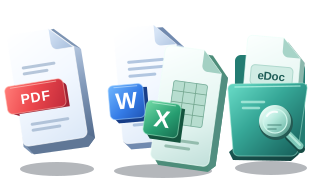
- eDoc 2.0 (.edoc) / ASiC-E (.asice). Limited PDF, DOCX, XLSX, PNG/JPG and text previews.
- What you can save
- File listing and content viewing only. No editing, export or confirmation of signature validity.
How to start
- Choose an eDoc 2.0 or ASiC-E container on your device.
- Select a supported document in the file list to open its read-only preview.
- Use the official eParaksts tools if you need to verify signature validity.
This reader opens file content in your browser only. It does not upload, edit or save the file on the server. Signature, certificate and timestamp validity are not checked here.
Common questions
Does opening ASiC-E prove that a signature is valid?
No. The tool checks supported container structure to display contents, not signature cryptography, certificates or timestamps. Use the official eParaksts service to verify validity.
Can I open any ZIP or legacy eDoc 1.x?
No. Supported eDoc 2.0/ASiC-E containers need the expected metadata structure. Generic ZIP, ASiC-S and legacy XML eDoc 1.x/DigiDoc are not supported. Unsupported embedded types are listed without a preview.
Does viewing eDoc require an account or download?
No. Open the container and view supported files without registration, sign-in or downloading a converted copy. This tool does not edit content or verify signatures.
Which eDoc containers and files can be viewed?
eDoc 2.0 and ASiC-E containers are supported. PDF, DOCX, XLSX, PNG/JPG and text files have a limited preview; some embedded formats cannot be viewed. Legacy XML eDoc 1.x / DigiDoc is not supported. Opening content does not confirm signature validity.
Official eParaksts tools for signature verification
Related tools
Need a contract or application from a template?
Open the SEVODOC document catalog. Editor tools and legal document templates are separate features.